Recently, my home internet provider started upselling a 10gbit (XGS-PON) connection. No more words, just take my money =)
But I have no suitable devices for this — how to test the difference? 10G USB-C for notebooks is too expensive, buying a new PC just for a test is madness (yeah, say XGS-PON is not =)
Luckily, I have an old HP G2 mini as my home server for backups. Aaand, a $15 noname M.2 → PCIe expander + a 10G NIC did the stuff! Seriously — I didn’t expect this to work, wow =)
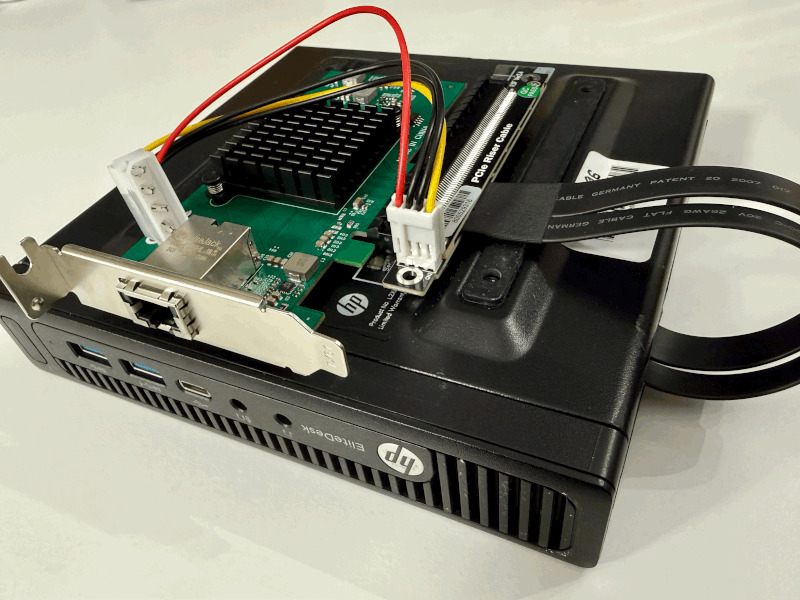
P.S. Don’t forget the pcie_aspm=off kernel option — my extender cable is too long to work without it.
Very tricky setup: M.2 expanders provide four PCIe lanes, but most cheap 10G NICs require eight. Also notice the PCIe version.
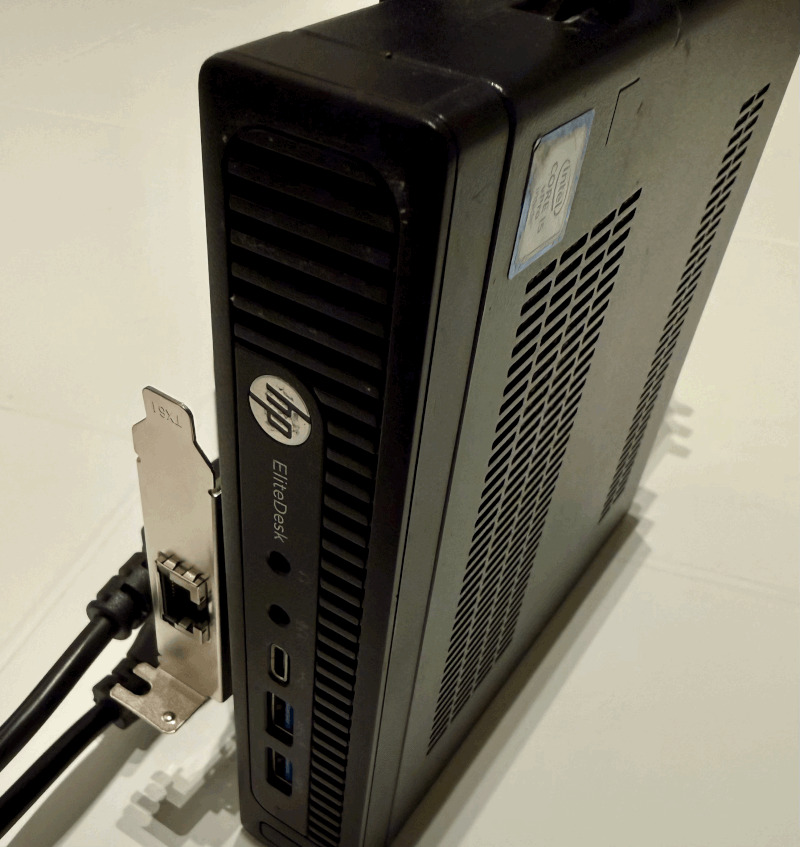
The exact equipment list:
- Expander: ADT R43UF (PCIe 3.0 x4)
- NIC: AQC107 (Aquantia/Marvell — happy on x4)
Originally posted on LinkedIn.